
In our tests, a free DDownload download in Chrome ran at 89.6 KB/s, while a Premium download reached 13.9 MB/s on a similar connection — a large difference in that one comparison, though your own result will depend on the file, the server, and your connection. Most tests below ran on a home connection with 1 Gbps fiber, using Chrome and JDownloader 2. One test used a separate VPS and isn’t directly comparable to a home connection. Speeds are shown in whatever unit each app displayed — KB/s, MB/s, or MiB/s — and we’ve kept those units as recorded rather than converting them.
This is an independent guide, not the official DDownload website. We earn a commission if you buy through the links on this page, at no extra cost to you. Your account, payment, and support are handled directly by DDownload.
Check Prices and Payment Options
Results at a Glance
| Test | Environment | Result |
|---|---|---|
| Free, single file | Chrome, home fiber | 89.6 KB/s |
| Premium, single file | Chrome, home fiber | 13.9 MB/s |
| Premium, 4 parallel files | Chrome, home fiber | ~44.5 MB/s combined |
| Premium, 4 parallel files | JDownloader 2, home fiber | ~43.52 MiB/s combined |
| Premium, multiple task groups | JDownloader 2, home fiber | ~113.34 MiB/s combined (parent groups) |
| Premium, parallel tasks | Separate VPS | 123.78 MB/s combined |
Free Browser Download
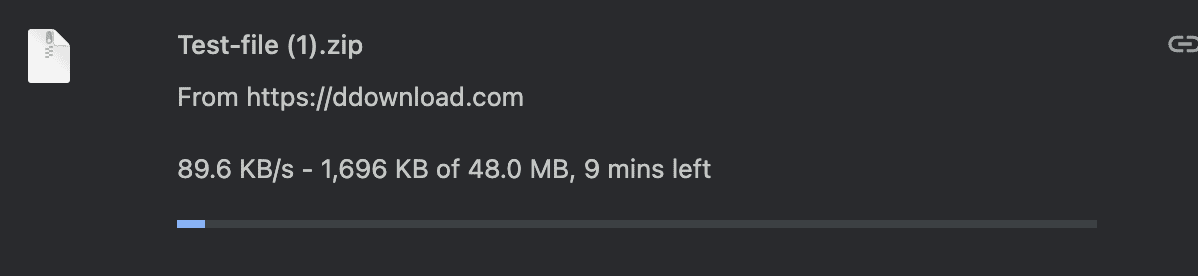
A free DDownload download in Chrome transferred a 48.0 MB file at 89.6 KB/s, with the browser showing about 9 minutes remaining. That 9-minute figure is time left during the transfer — it’s separate from the wait timer and CAPTCHA that DDownload adds before a free download starts at all.
Premium Single-File Download
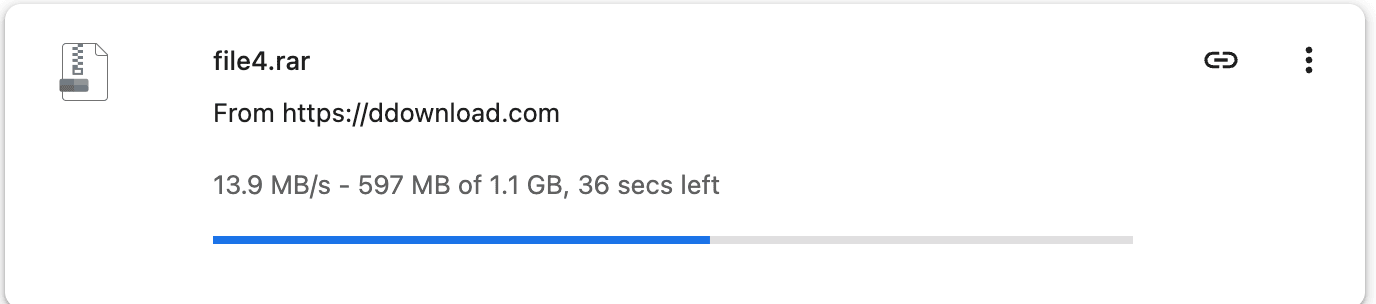
A Premium download of a roughly 1.1 GB file in Chrome reached 13.9 MB/s. At the point of this screenshot, 597 MB had already transferred with about 36 seconds left. The screenshot shows the speed during an active transfer; it does not establish the file’s total download time.
Four Parallel Chrome Downloads
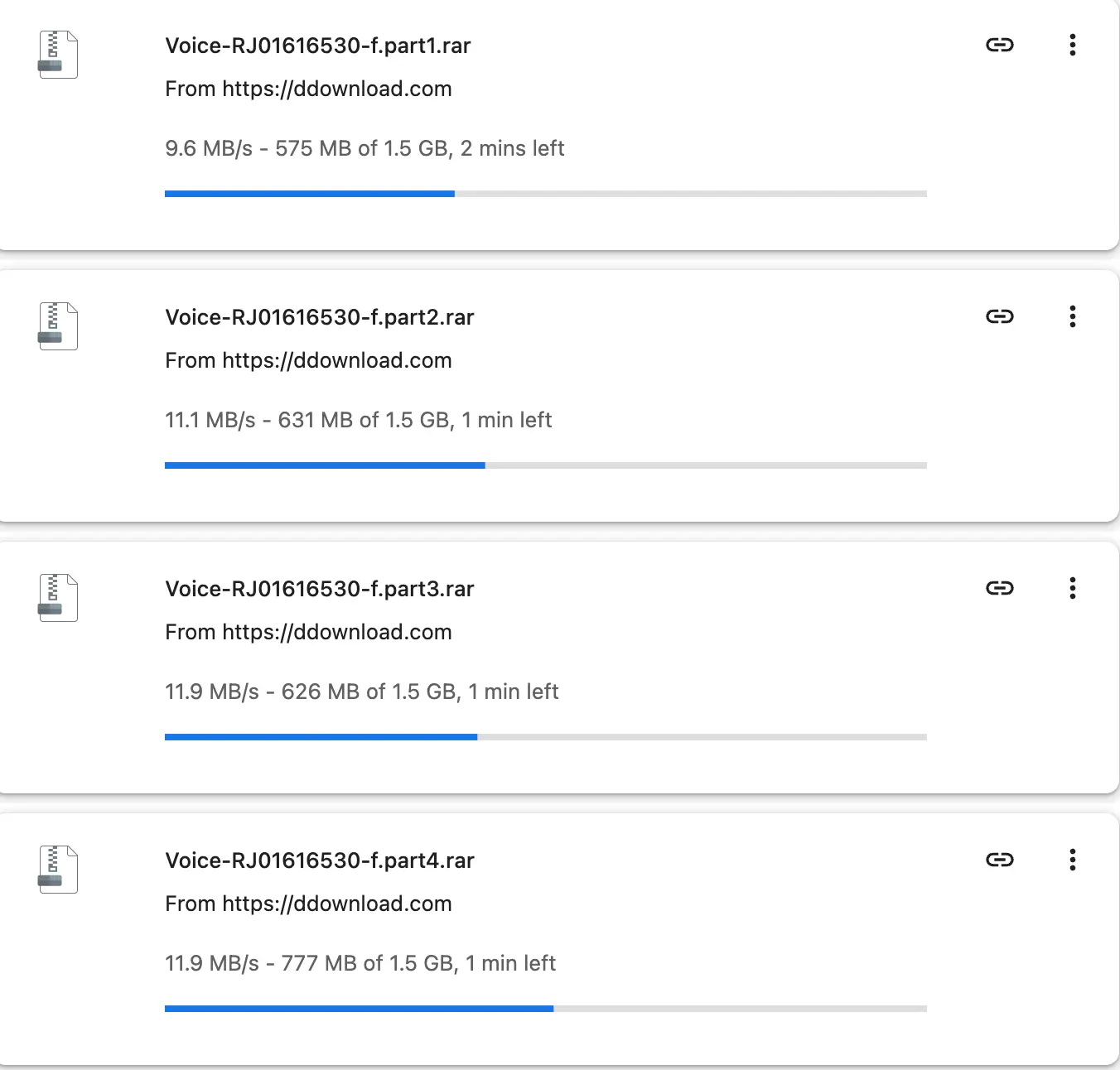
Running four Premium downloads at once in Chrome, each about 1.5 GB, gave individual speeds of 9.6, 11.1, 11.9, and 11.9 MB/s — a combined total of about 44.5 MB/s. That total is the sum of four separate downloads, not the speed of any one file.
JDownloader 2 Results
Four Parallel Downloads
In JDownloader 2, four Premium downloads ran at 13.39, 11.05, 10.56, and 8.52 MiB/s, adding up to about 43.52 MiB/s combined. This is the total of the four task speeds shown at that moment, not an average taken across the whole download.

Multiple Task Groups
With several task groups queued at once, JDownloader 2 showed four parent groups at 34.93, 35.87, 31.81, and 10.73 MiB/s — a combined total of about 113.34 MiB/s. The combined figure is the sum of the four displayed group speeds at that moment, rather than a full-session average. This result reflects one test session’s queue, not a fixed number of parallel downloads every account supports.

Separate VPS Result
On a separate VPS — not the home fiber connection used in the tests above — DDownload downloads reached a combined 123.78 MB/s across a task set of about 13.081 GB. This result depends on the VPS’s own network and data center connection, and shouldn’t be expected on a typical home connection, even with the same Premium account.

JDownloader 2 Setup
Add your DDownload account under Settings → Account Manager in JDownloader 2, then confirm that it is recognized as a paid Premium or Ultimate account. Check that Direct Downloads is available on your account, since this affects how links are processed. As a starting point, try 2–4 files at once with 1 connection per file, then adjust based on how your connection and the source handle it. This is a reasonable starting configuration based on our results, not a fixed rule from DDownload or the exact setup used in every test above.
Why Downloads May Be Slow
Start by confirming that your account is recognized as Ultimate in both your browser and JDownloader 2. Check whether the daily allowance has been exhausted, then test another available DDownload file. File-server load and network routing can affect performance. Compare a single transfer with the combined speed of several downloads, since those figures measure different workloads.
What the Results Show
Across these tests, free downloads ran far slower than Premium, at 89.6 KB/s versus 13.9 MB/s for a single file. Running several Premium downloads at once pushed combined speeds well past 40 MB/s in both Chrome and JDownloader 2, and the separate VPS result reached over 120 MB/s under different network conditions. For current prices, payment options, and how to buy, see our DDownload Premium pricing guide.